

Widget Experience Builder | xixaSoft
Detailed Description
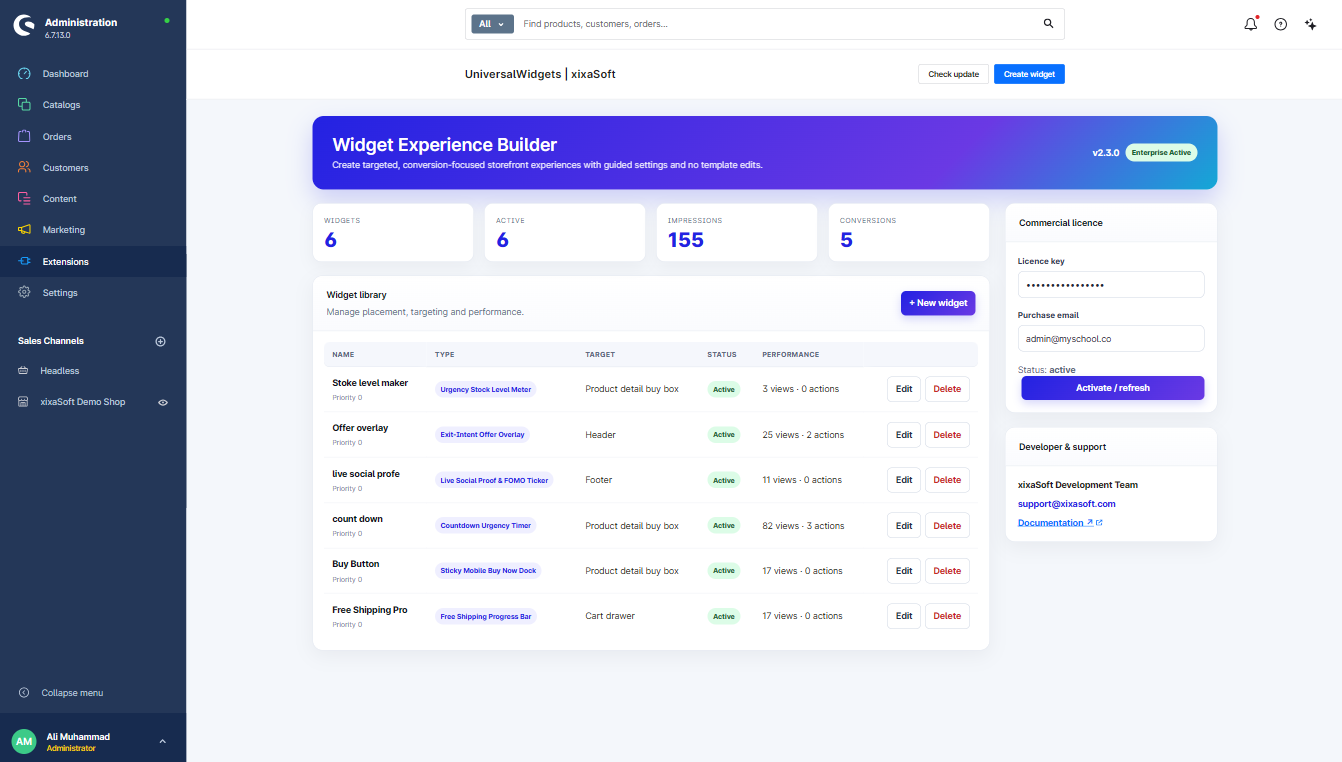
Turn ordinary storefront visits into focused shopping experiences with Widget Experience Builder | xixaSoft.
The plugin helps merchants create, configure, and display conversion-focused widgets throughout their Shopware storefront without modifying theme files. Its guided administration settings make it easy to control widget content, design, placement, scheduling, targeting, and customer actions.
Create urgency with campaign countdowns, encourage higher order values with free-shipping progress bars, strengthen customer confidence with social-proof messages, highlight limited stock, and display promotional overlays for selected products or audiences.
Each widget can be configured independently, allowing you to build relevant experiences for specific products, categories, pages, sales channels, devices, customer groups, and campaign periods.
Whether you are running a limited-time promotion, launching a new product, increasing average cart value, or improving storefront engagement, Widget Experience Builder provides the controls needed to create professional experiences without direct template editing.
Main Features
Free-Shipping Progress Bar
Encourage customers to add more products to their cart by showing how much remains before free shipping becomes available.
- Dynamic cart-value calculation
- Remaining amount displayed automatically
- Completed free-shipping state
- Cart page and off-canvas cart support
- Configurable threshold
- Custom text, colors, icons, and progress-bar styling
- Currency-aware display
- Responsive mobile presentation
Campaign Countdown Timer
Create urgency for selected products, promotions, and limited-time offers.
- Campaign start and end dates
- Configurable countdown duration
- Product-specific countdowns
- Category and page targeting
- Dynamic action-button text
- Direct-checkout action
- Optional Add to Cart button replacement
- Product listing and product detail integration
- Custom expiration message
- Automatic widget removal after expiration
- Configurable colors, typography, spacing, and layout
Social-Proof Widget
Build customer confidence with configurable activity and popularity notifications.
- Recent purchase notifications
- Product popularity messages
- Customer activity messages
- Multiple icon styles
- Custom message templates
- Configurable display interval and duration
- Position and animation controls
- Desktop and mobile visibility settings
- Product, category, page, and sales-channel targeting
- Flexible styling options
Stock-Urgency Messages
Highlight product availability and encourage faster purchasing decisions.
- Dynamic stock-level rules
- Multiple configurable urgency levels
- Custom message for each stock range
- Product and category targeting
- Optional stock quantity display
- Custom icons and status colors
- Low-stock and critical-stock states
- Automatic message updates based on available inventory
Promotional Offer Overlays
Display professional promotional overlays for offers, campaigns, and product recommendations.
- Select individual products or product groups
- Configurable overlay duration
- Delayed and exit-intent display options
- Custom promotional images
- Headline, description, and button controls
- Configurable destination URL
- Scheduling and expiration settings
- Background, border, spacing, and overlay styling
- Responsive layout
- Frequency controls to prevent repeated interruptions
- Page, customer, device, and sales-channel targeting
Announcement Bars
Communicate important store information across selected storefront pages.
- Promotion and shipping announcements
- Custom text and action link
- Multiple bar positions
- Scheduled visibility
- Dismissible announcement option
- Custom colors and typography
- Page and sales-channel targeting
- Mobile-responsive design
Advanced Targeting
Show the right widget to the right visitor at the right time.
Widgets can be targeted using supported conditions such as:
- Selected products
- Selected categories
- Product listing pages
- Product detail pages
- Shopping cart
- Checkout pages
- Homepage
- Custom storefront paths
- Sales channels
- Customer groups
- Logged-in or guest customers
- Desktop, tablet, or mobile devices
- Cart-value conditions
- Product stock levels
- Campaign dates and times
Guided Administration
Manage storefront experiences through a structured administration interface.
- Central widget dashboard
- Guided configuration forms
- Enable or disable individual widgets
- Widget status overview
- Scheduling controls
- Targeting configuration
- Design and placement settings
- Preview-friendly configuration
- Clear validation messages
- No Shopware template modification required
Styling Controls
Match every widget to your store’s branding.
- Background and text colors
- Button colors and labels
- Font sizes and weights
- Border colors and radius
- Icons and visual indicators
- Width, spacing, and alignment
- Widget position
- Animation effects
- Custom promotional images
- Separate desktop and mobile presentation options
Key Benefits
- Create promotional experiences without editing templates
- Increase average order value with free-shipping incentives
- Create urgency through countdown and stock messages
- Improve customer confidence with social proof
- Promote selected products through targeted overlays
- Control multiple storefront widgets from one interface
- Launch and update campaigns faster
- Reduce dependence on custom theme development
- Maintain a consistent storefront design
- Deliver more relevant messages to different audiences
Ideal For
Widget Experience Builder is suitable for:
- Shopware merchants
- Digital product stores
- Fashion and lifestyle stores
- Electronics retailers
- B2B and B2C shops
- Seasonal campaign managers
- Marketing teams
- Shopware agencies
- Stores focused on conversion-rate optimization
Technical Information
- Product: Widget Experience Builder | xixaSoft
- Platform: Shopware 6
- Recommended version: Shopware 6.7 or later
- Installation type: Shopware plugin
- Administration: Integrated Shopware administration module
- Storefront integration: Theme-independent widget injection
- Responsive design: Yes
- Multi-sales-channel support: Yes
- Template editing required: No
- Commercial licence: Yes
- Updates: xixaSoft update service
- Support: admin@xixasoft.com
- Website: https://xixasoft.com
Installation
- Download the plugin package.
- Open the Shopware administration.
- Navigate to Extensions.
- Upload the plugin package.
- Install and activate the plugin.
- Open Widget Experience Builder from the administration menu.
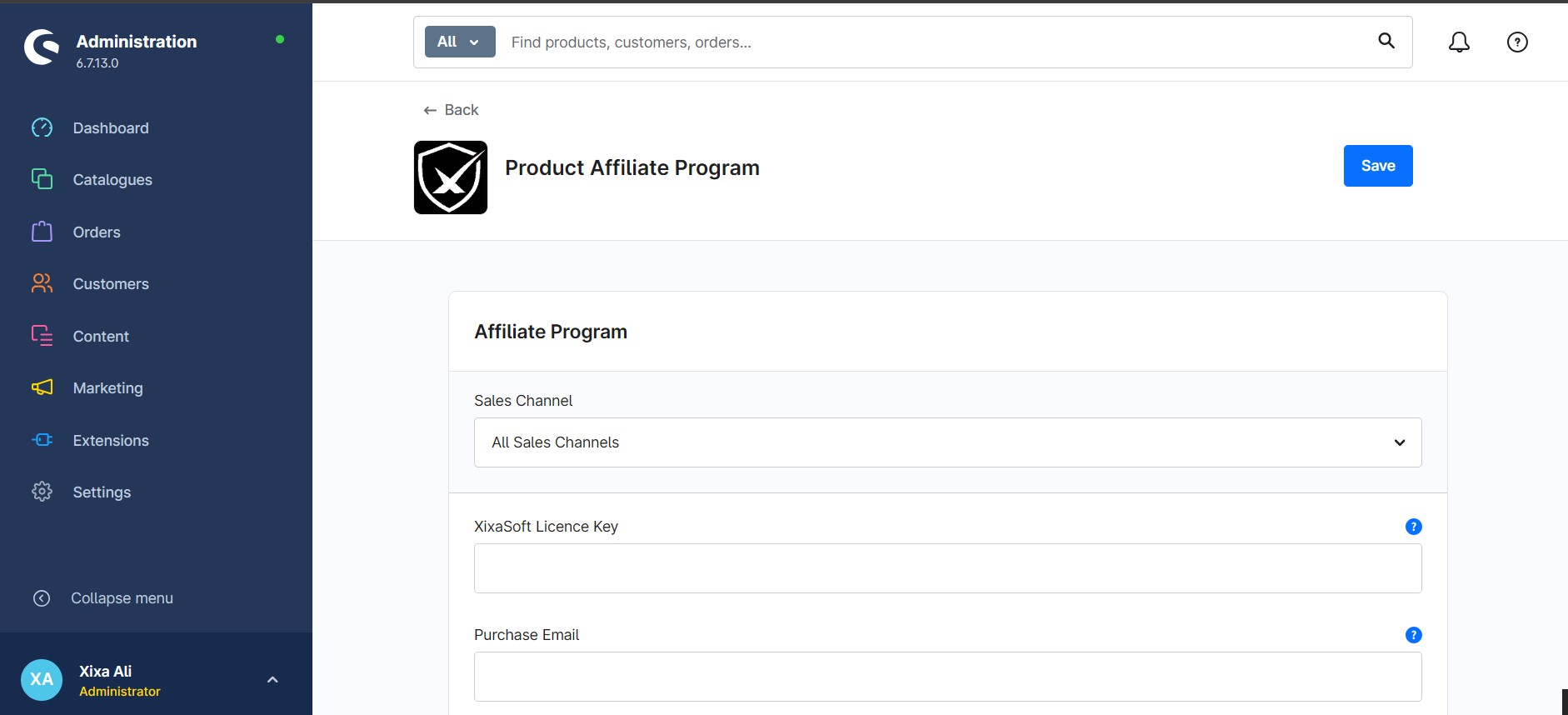
- Activate your commercial licence.
- Configure and enable the required storefront widgets.
- Clear the Shopware cache and compile the theme if requested.
Important Note
Available storefront behavior can depend on the active Shopware version, theme structure, installed extensions, and sales-channel configuration. Test newly configured widgets in a staging environment before enabling them on a production storefront.
Support
Need help installing or configuring Widget Experience Builder?
- Website: https://xixasoft.com
- Email: admin@xixasoft.com
Ratings & reviews
Only customers with a paid purchase of this product can submit a rating and review.